Batch processing
Detect, review, number and export across files and pages in one job.
TuMo Vision is a Windows desktop application built by Jiuzhang Arithmetic Studio: import an engineering drawing, then export a ballooned PDF, an Excel detail sheet and an inspection report in one chain — without moving data between tools.
Manufacturing and quality teams are not short of drawings: PDFs on the file server, scans in a chat window, revision notices in email. What costs time is turning them into something you can hand over — copying dimensions into Excel, ballooning by view, and laying out a ballooned drawing and report that someone can sign.
Generic vision models can frame a few annotations, but they do not know that an item belongs in an inspection table or that its tolerance follows the GB/T 1804 default grade. So TuMo Vision was aimed at the deliverable from the start: not a pile of coordinates, but three files an inspector can work from and a customer can sign.
That is also why detection runs locally, cloud features are explicit options and prices are written on the page. Those choices make the product slower to build, and a better fit for the real workplace.
The value of the software is not the moment of recognition, but how much data movement it removes afterwards.
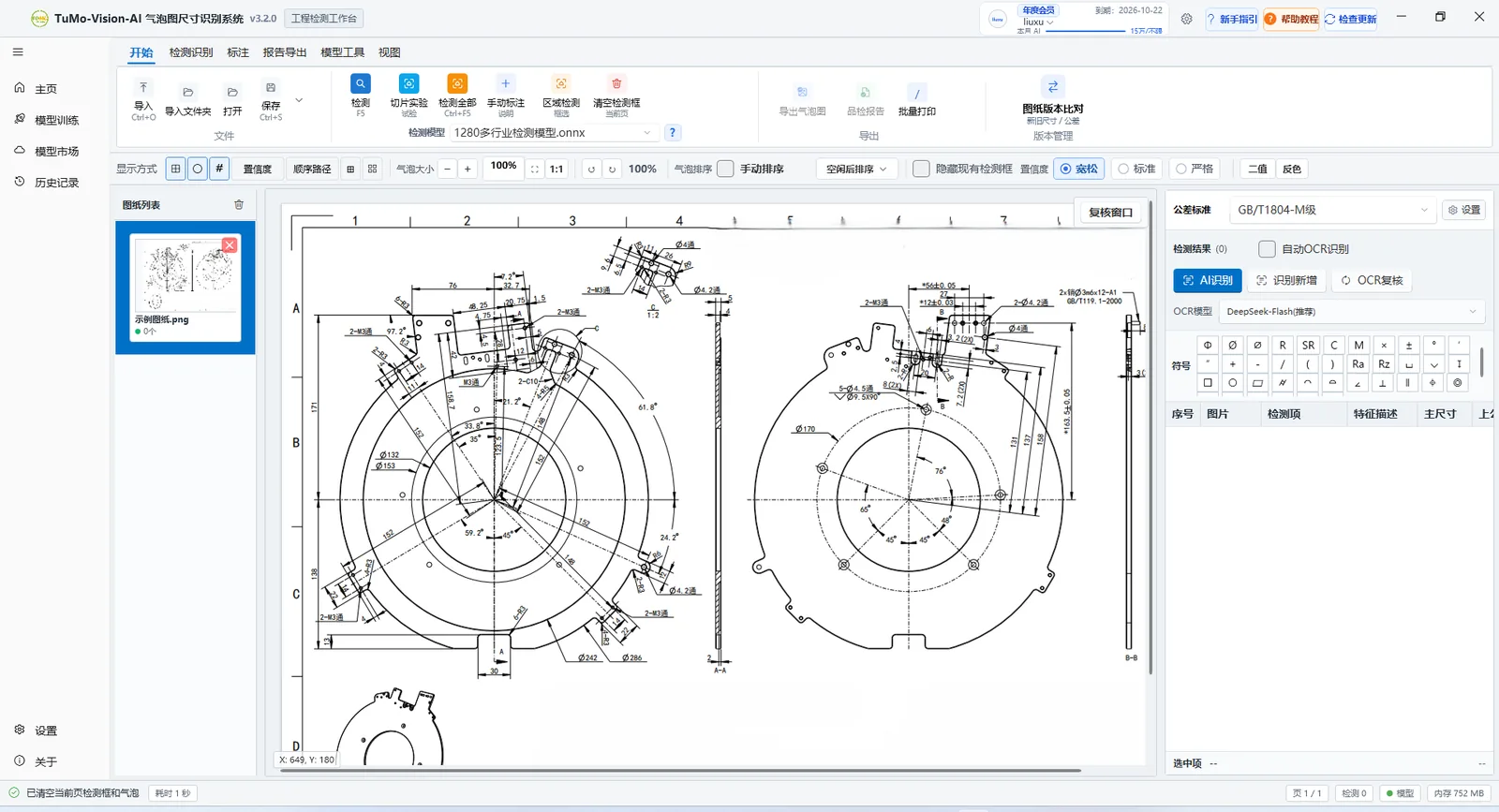
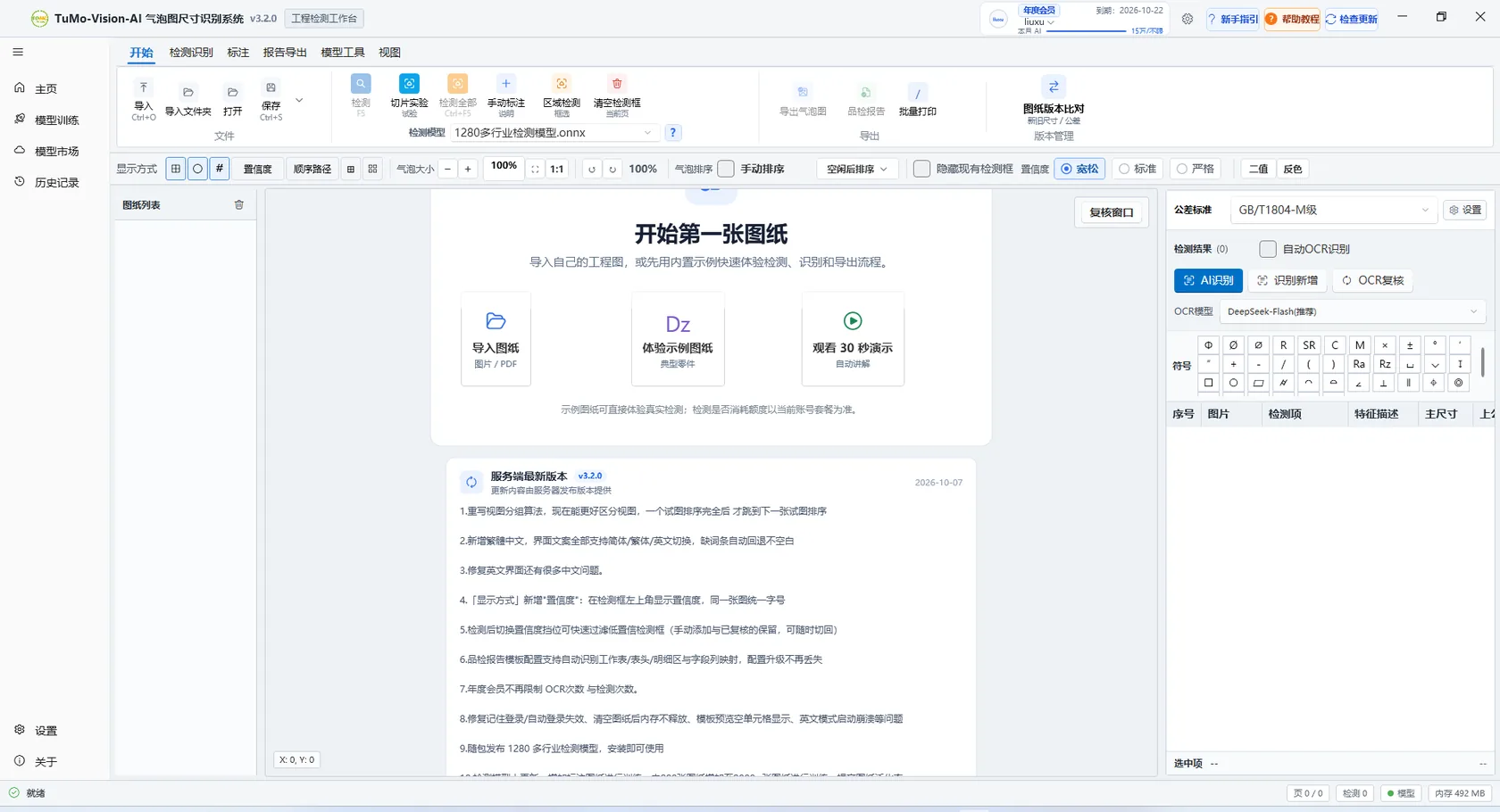
A Windows workstation, ready after install
Five steps, one chain. Every step keeps a reviewable state instead of producing a one-shot black box.
PDF / PNG / JPG, multi-page and batch import with page management.
A YOLO vision model frames every annotation on the whole sheet, running on local CPU / GPU inference.
Extract values, correct them item by item and filter by confidence; cloud OCR uses the DeepSeek vision model.
Balloons are grouped per view, numbered sequentially and automatically avoid dimension lines, while staying tied to features.
Ballooned PDF, Excel detail sheet (GB/T 1804 default tolerance) and inspection report in one run.
Detect, review, number and export across files and pages in one job.
Compare dimensions and tolerances between revisions, export the change list.
Corrected results become samples that fit your drawing types.
1280+ industry detection models, swappable per drawing type.
Features can be added over time. These three decide what the product looks like.
A feature earns its place by making the delivery files earlier and more accurate. A perfect recognition result that still needs manual rework has not solved anything.
Where a drawing is processed, whether it is uploaded and whether it is metered should be visible and your decision.
The free quota, monthly and annual prices are all on the site — no "contact us to hear the price" tier. Team licensing and private deployment are quoted on real scale, with the scope spelled out first.
Writing down what we cannot or will not do is more useful than another claim of being industry-leading.
Drawing quality, annotation density and scan clarity vary widely. The review step stays in the flow to absorb that uncertainty.
Detection and export run locally; cloud OCR requires you to choose it for a job; uploading for training is a setting.
No unauthorised logos, testimonials or certificates appear on this site. Ask for references and we will share real trial records.
There is no online payment on the site. Memberships are activated by a person confirming the account and usage scale, so you do not pay for something that cannot run your drawings.
You do not need to complete procurement to begin: validate with the free quota, then decide on a membership or team licence.
A Windows 10 / 11 installer. Import a drawing right after installation; no runtime setup.
Run the full chain on the drawing type you handle most: detect, review, number, export.
Monthly or annual for individuals; team licensing quoted by device and concurrency; cloud OCR metered separately.
Models and features keep updating, and corrected results can become samples for your drawing types.
The 200 free detections are enough for one full delivery trial. If you need more time to evaluate, tell us.
Questions reach the people who make the product. Drawing types, delivery formats and deployment environments are all fair game.
No environment setup. Take a drawing you know well, go from import to exported balloons, and judge it yourself.