Ballooned drawing
PDFEvery dimension is numbered and connected to its feature. Export a ballooned PDF or image and print the sheet the inspector works from.
Import, detect dimensions, review OCR, balloon every characteristic and export the deliverables — all inside one Windows workstation. The sections below follow the order of the actual workflow.
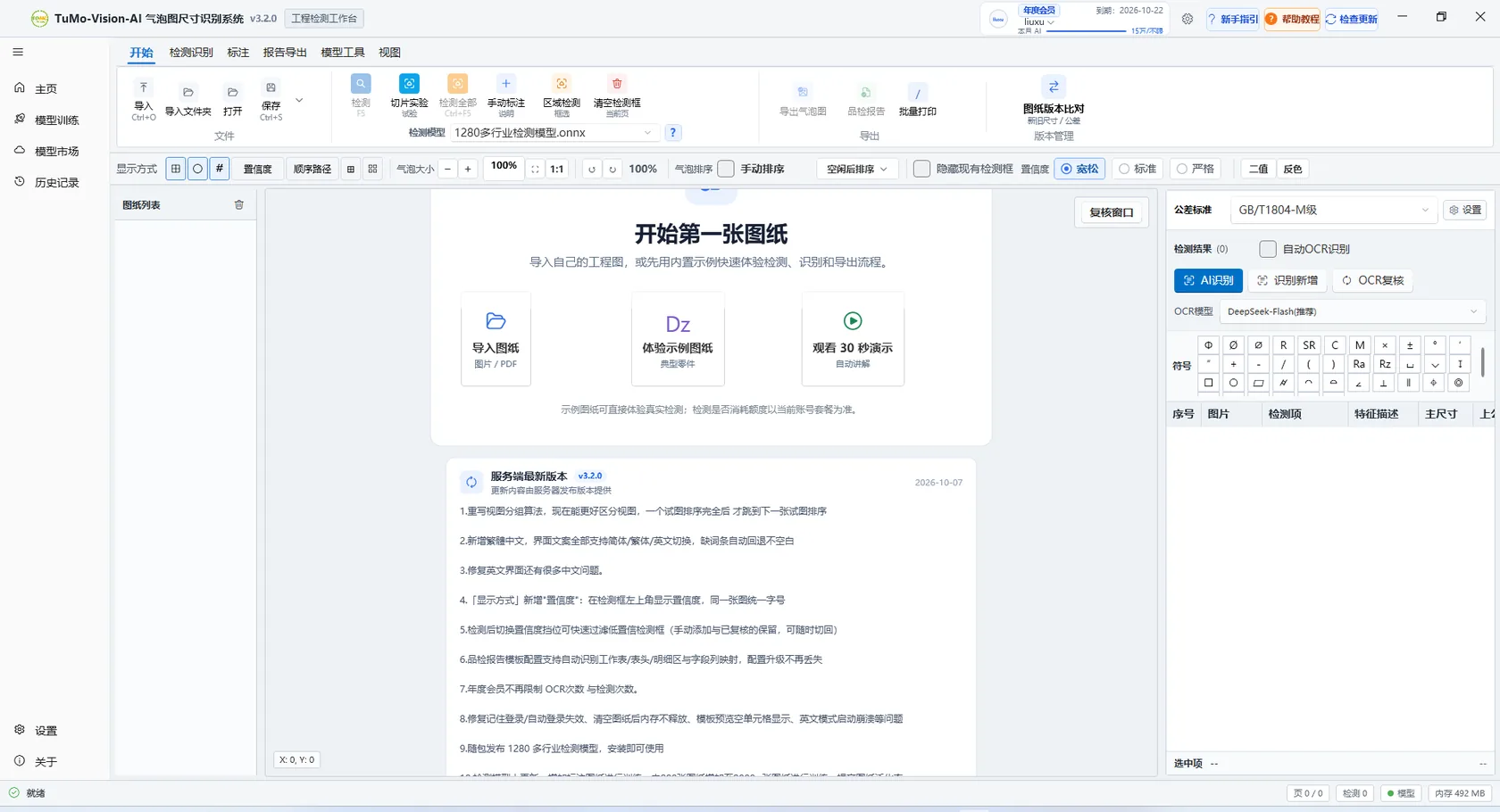
Workstation: drawing list on the left, canvas in the middle, results and exports on the right
Recognition only matters when it becomes a file you can inspect, archive and send to a customer. All three are generated from one review pass, with configurable fields and templates.
Every dimension is numbered and connected to its feature. Export a ballooned PDF or image and print the sheet the inspector works from.
Index, inspection item, feature description, nominal, tolerances and limits written into a mapped Excel sheet, ready to edit or import.
Write results into your customer Excel template. A built-in template is included and header, detail area and field columns can be detected automatically.
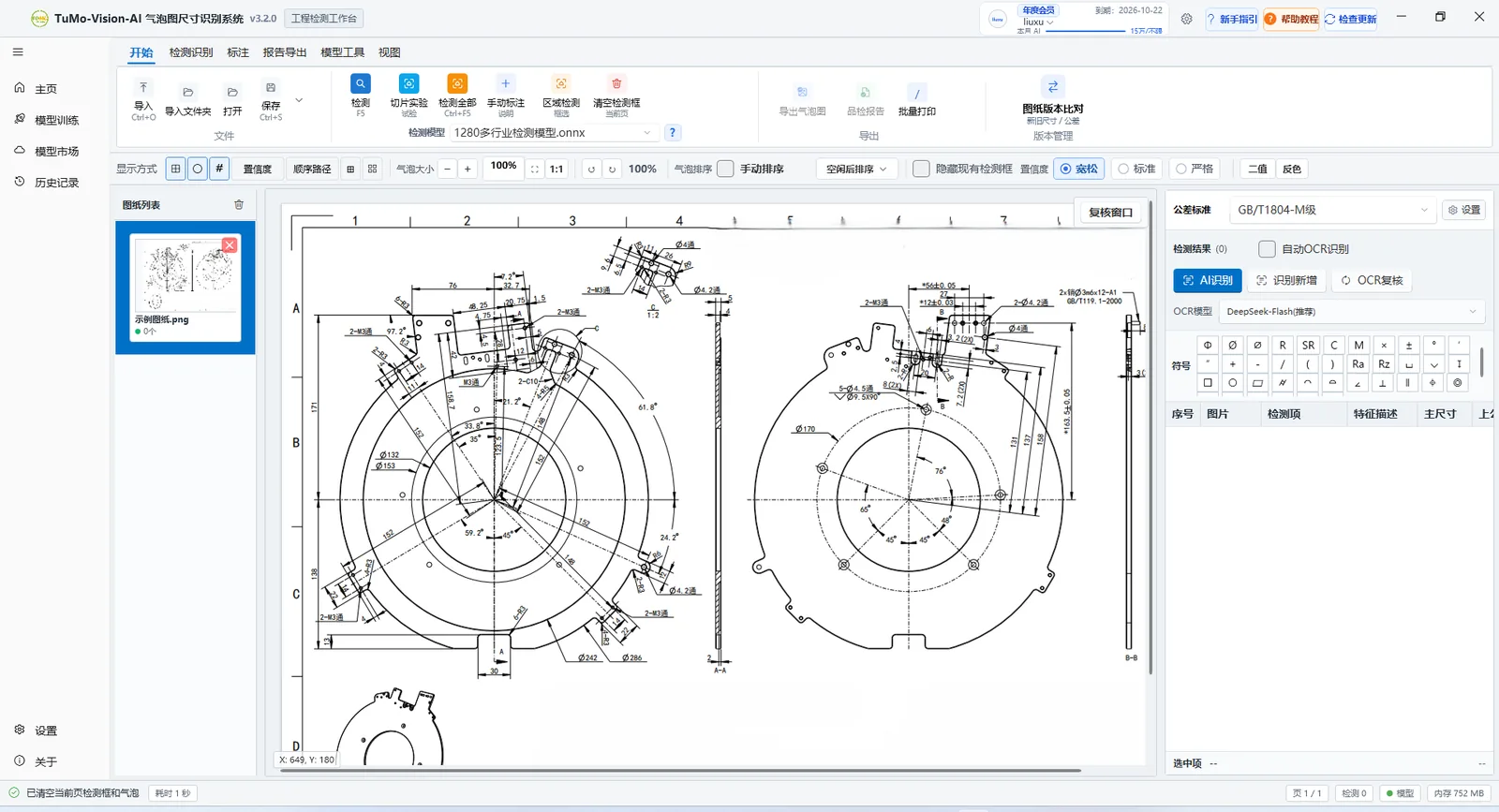
Results are managed per page; numbering matches the canvas
Each group maps to one concrete step of delivery. Modules you do not need stay out of the way; the ones you do need are all here.
A YOLO vision model finds every dimension annotation first, then reads the text.
A YOLO vision model frames every dimension annotation on the whole drawing — no manual region selection — with confidence presets and 0.05 fine tuning.
Scan for likely missed regions after detection — edges, dense annotation blocks and vertical text.
Read dimensions, tolerances, surface finish and GD&T symbols, switching OCR models per drawing type. Cloud OCR uses the DeepSeek vision model.
Built-in GB/T 1804-m and GB/T 1800.01 IT10 standards fill general tolerances after recognition.
Everything is confirmed by a person before it becomes a deliverable.
Re-process failed or suspicious items, or correct a value directly in the table.
Index, item, feature description, nominal and tolerances are editable, with warning rows highlighted.
Boxes, balloons, numbers, leader lines and the grid can be toggled without touching the data.
Frame a missed annotation by hand and recognise it; tighter boxes give more stable results.
Turn confirmed results into files you can hand over.
Balloons are auto-grouped and numbered per view with sequential numbering; balloons and leaders avoid dimension lines so annotations stay unobstructed, and positions can still be nudged by hand.
Export ballooned PDF or images with page selection, batch printing and overlay switches.
Export the structured detail sheet with configurable columns, ready for statistics or existing systems.
Write results into a customer Excel template, with AI-assisted template and column mapping setup.
Whole sets, frequent revisions and specialised drawings each have a path.
Detect, review, number and export across files and pages in one run.
Old and new drawings side by side; added, removed and changed dimensions are listed.
Save corrected results as samples, generate a training script and train a dedicated model.
Search, download and enable shared ONNX models, or upload your own for the team.
Plain OCR can read the text but does not know where the number sits on the drawing. TuMo Vision detects the annotation box first, then binds each recognised value to its location — that is what makes numbering and detail sheets meaningful.
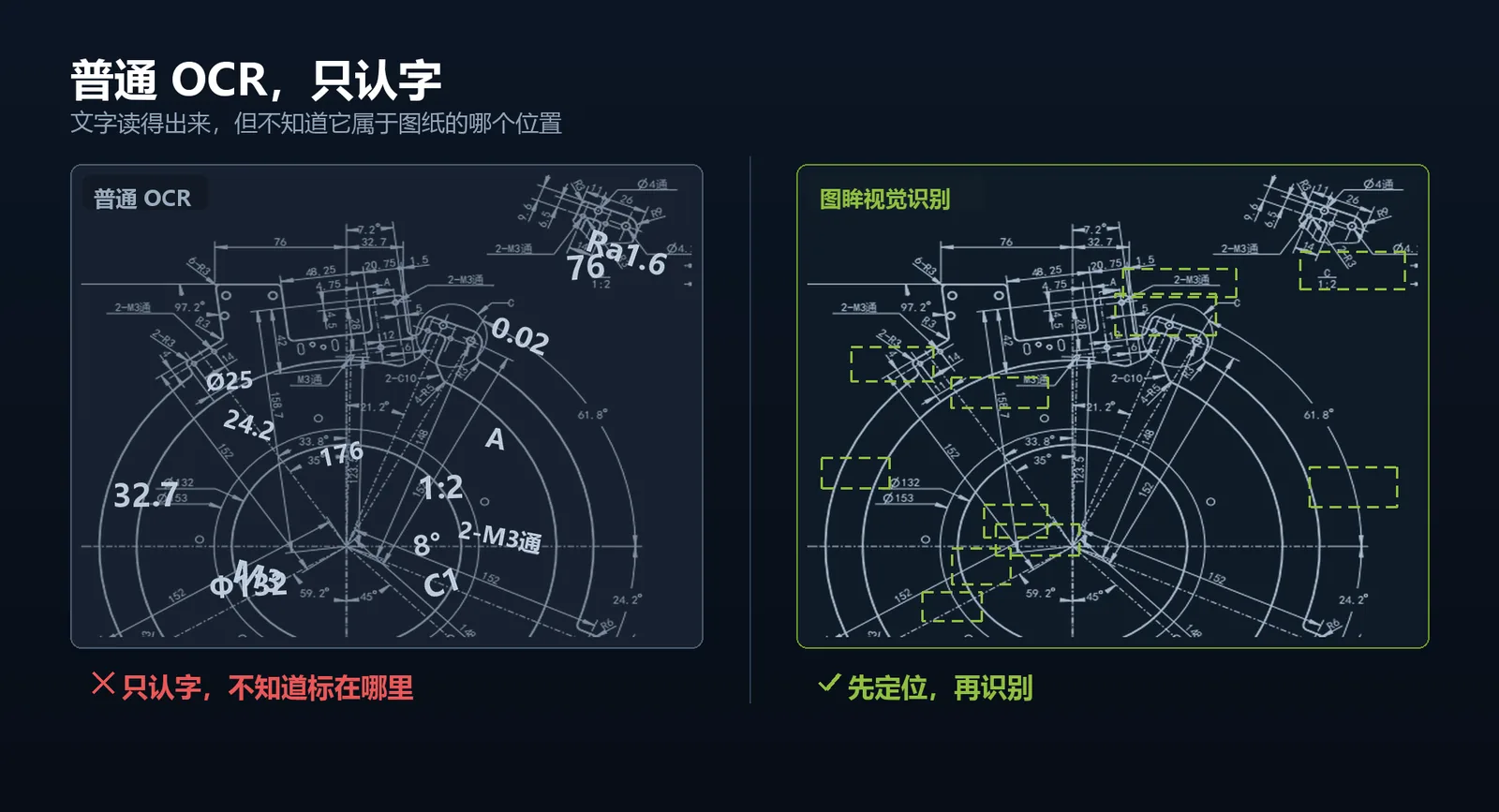
Recognition logic: locate the box, then read the text
Batch jobs run across files and pages with unified detection, review, numbering and export. Batch balloon printing lets you choose pages, scale and overlays so delivery keeps moving.
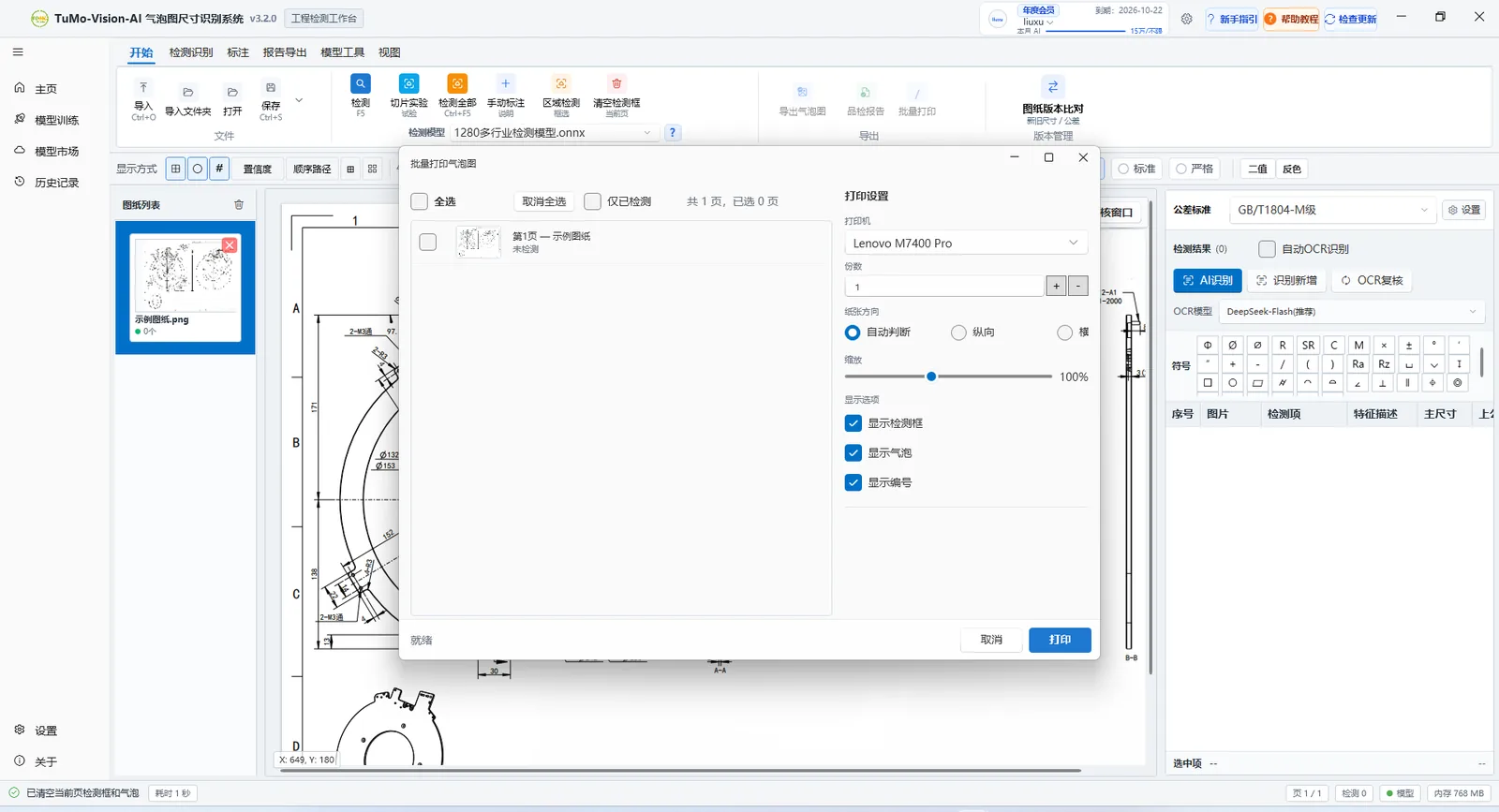
Batch balloon printing: pages, scale and overlays
Load the old and new drawing and run the comparison. Added, removed and changed dimensions are listed with status, match confidence and tolerance differences; each row locates the annotation on the drawing.
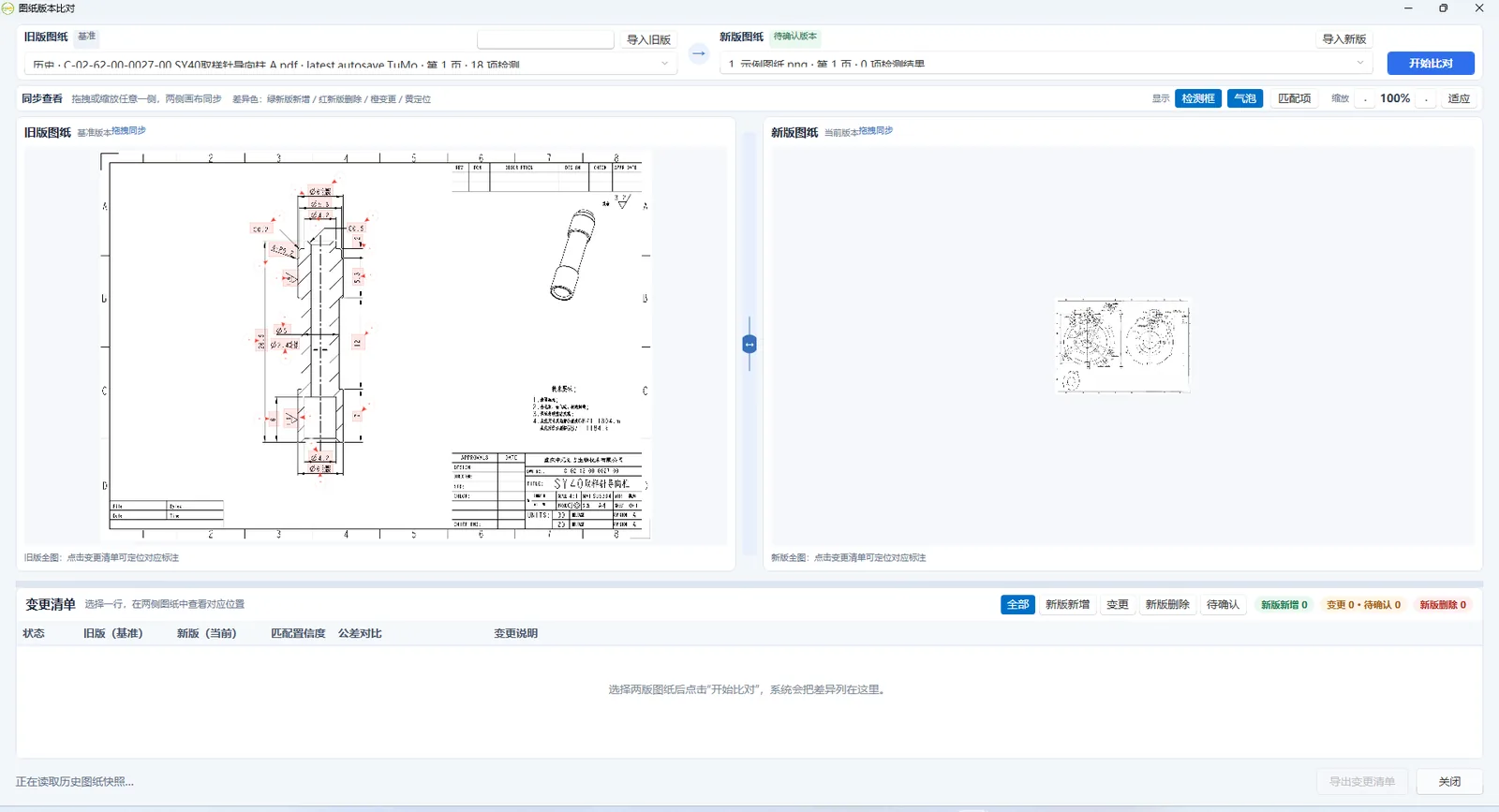
Old and new side by side, every change listed
1280+ industry detection models ship with the client and work right after install. For a more specialised drawing style, search and enable a shared model in the market, or import your own trained model.
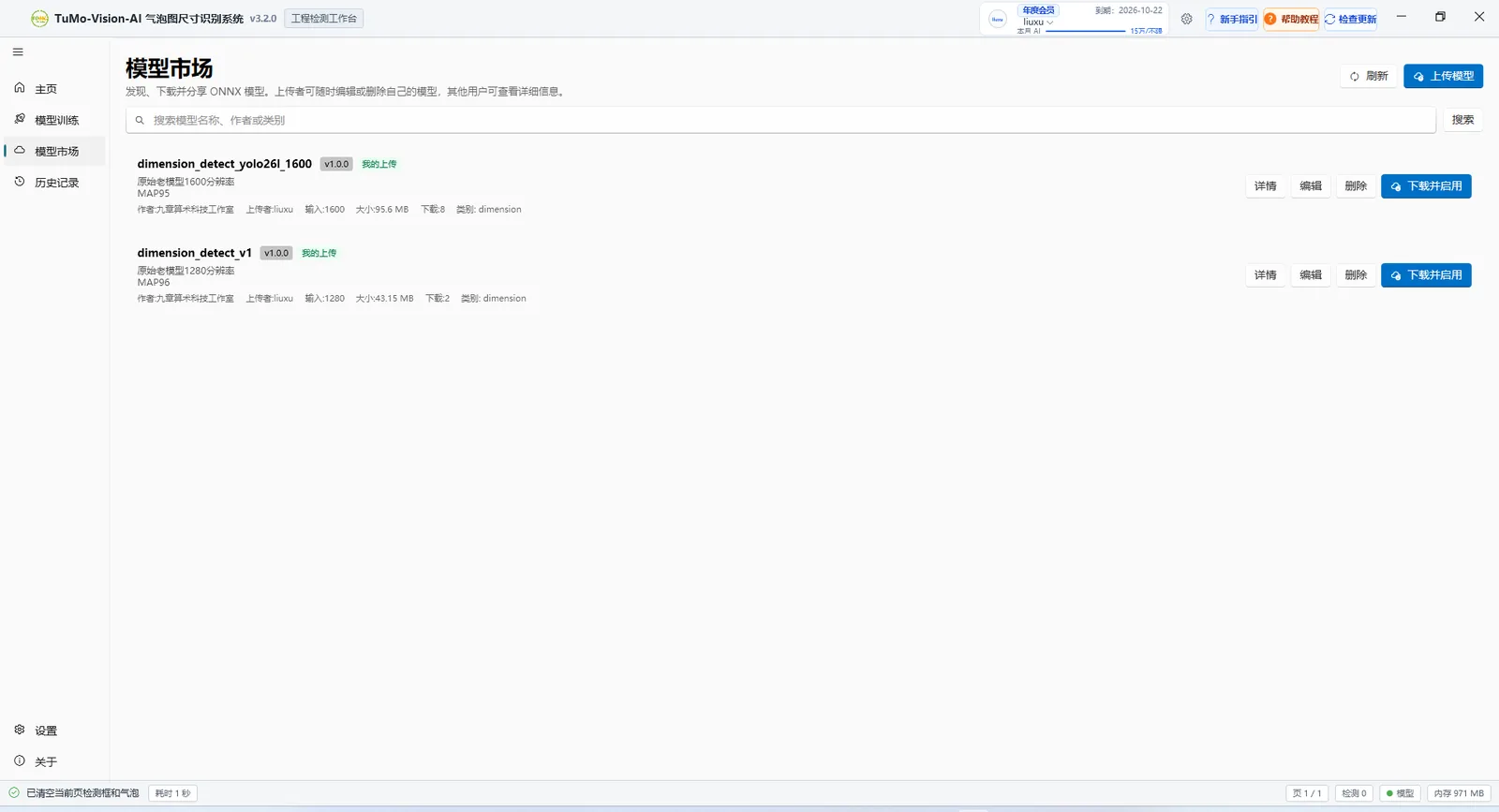
Model market: search, enable, or upload your own
Learning a boundary during a demo costs more time than reading it here. Four things worth knowing before you start.
Read the data & security pageDetection, ballooning and export run in the Windows client; drawings do not have to be uploaded first.
Cloud OCR uses the DeepSeek vision model, so it needs a network connection and a signed-in account, metered by plan.
Results are confirmed by a person, especially critical dimensions. Software assists inspection, it does not replace the decision.
Works on 2D engineering drawings in PDF or image form. It is not a 3D reconstruction or a CAD editor.
The installer is self-contained — no .NET install needed. Within ten minutes of downloading you can see your first ballooned drawing and inspection report.